


Environments
Repositories
Promote/Publish
Install/Update
Integrations
Teams
Launch Buttons
Promotions
Tagging


2
min
Rolling back
Overview:
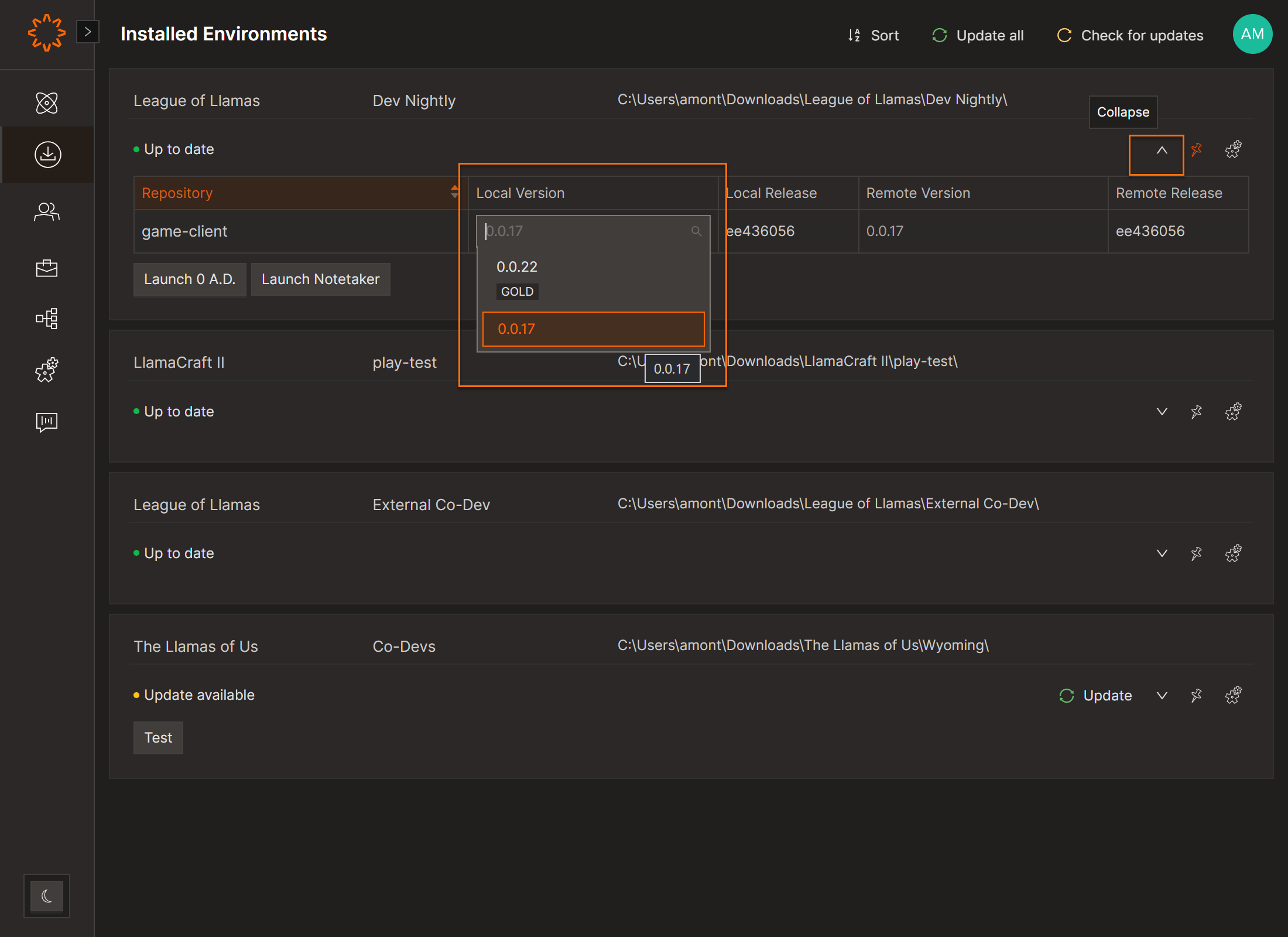
On the Installed Envrionments screen can roll back or sync releases for individual repositories within an environment.
Roll Back
- Open Installed Environments.
- Expand the Environment.
- Select a version from the Local Version dropdown.
Roll forward / Sync
- Select the latest version in Local Version, or
- Click Update to fetch assigned versions, or
- Click Repair to fully re-sync all repositories.
Only changed data is downloaded.
Unsynced repositories appear yellow.
Requires multiple releases per Repository.
DOs
DONTs
Pro Tips
You can install the same environment in multiple locations: for example, one always synced to live, another for testing legacy builds.


