


Environments
Repositories
Promote/Publish
Install/Update
Integrations
Teams
Launch Buttons
Promotions
Tagging


2
min
Automatic Build Updates
Overview:
Schedule daily automatic updates to keep installed Environments current.
Manage from:
- Settings
- Installed Environments
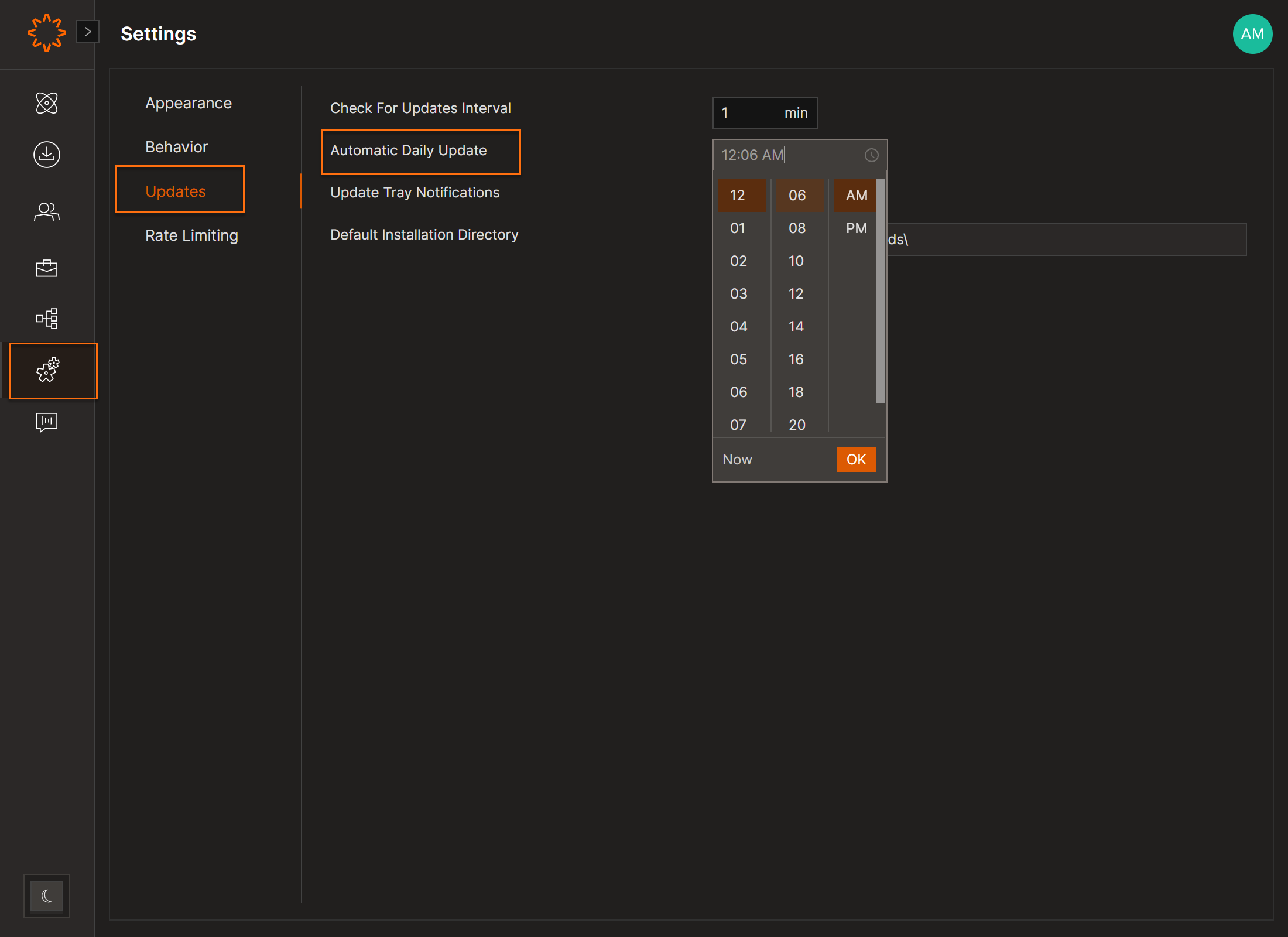
Set Update Time
- Go to Settings → Updates.
- Choose the automatic update time.
- Click OK.
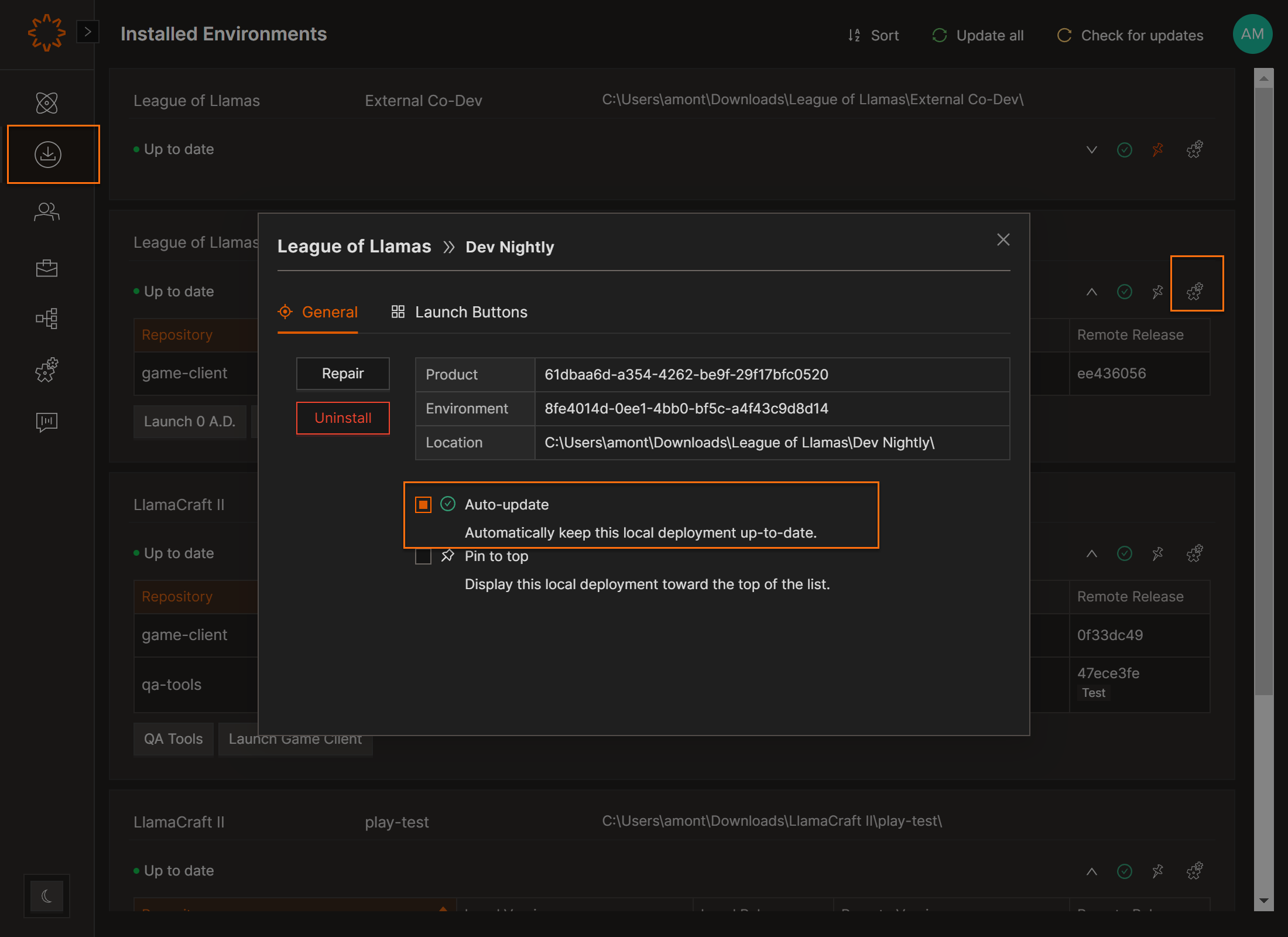
Installed Environments Tab: Automatically Update your Installed Environments:
- Go to the Installed Environments tab.
- Click the settings icon to toggle:
- Orange → Auto-updates enabled (default).
- Gray → Auto-updates disabled.
DOs
DONTs
Pro Tips


