


Environments
Repositories
Promote/Publish
Install/Update
Integrations
Teams
Launch Buttons
Promotions
Tagging


2
min
Invite New Users
Overview:
This article walks you through sending invitations .
Organization Administrators and members with the "Inviter" Role are able to invite new users to Solsta.
Invite New Users to Your Solsta Organization
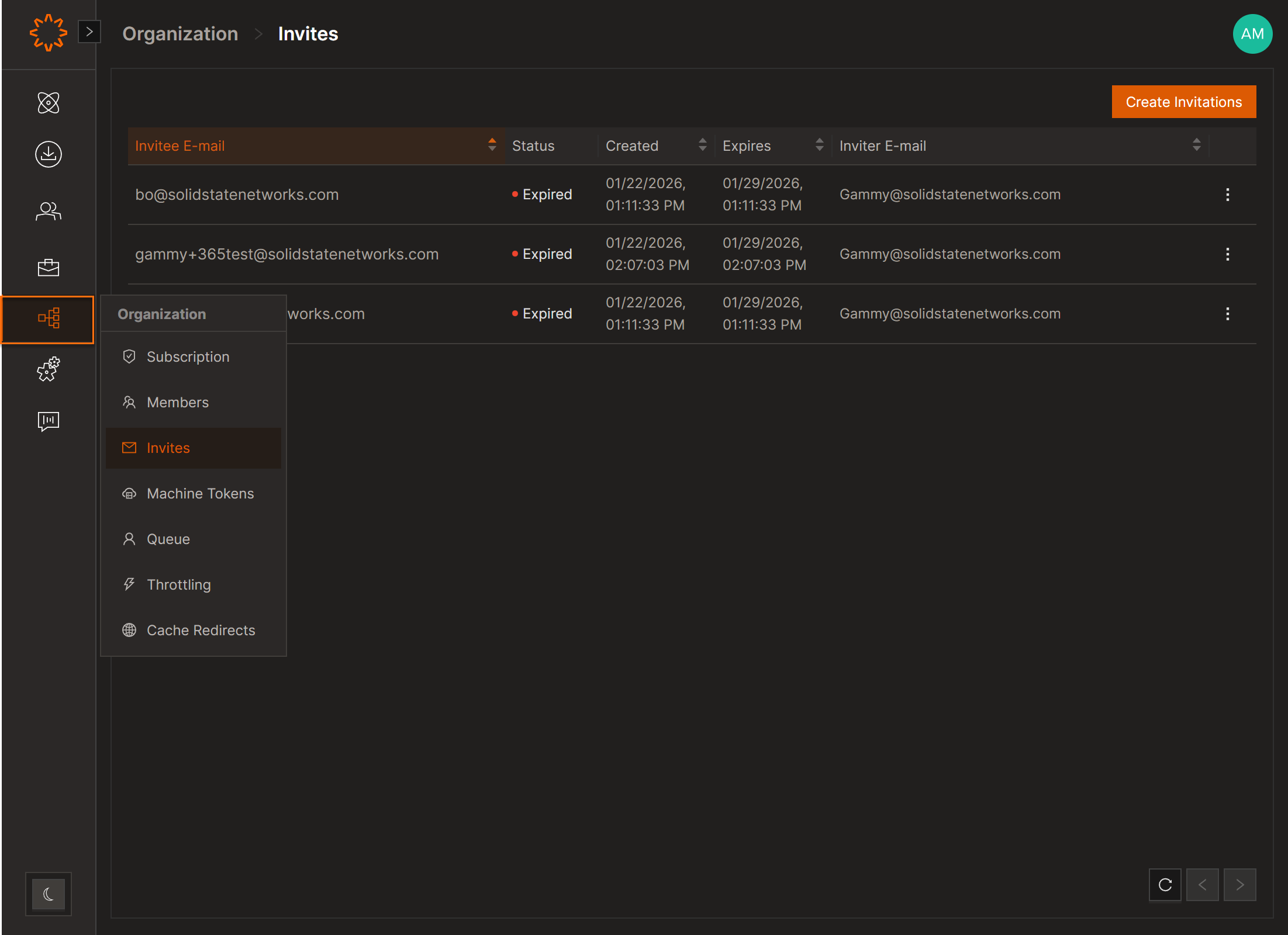
- From the navigation pane, hover over the Organization option, then select Invites
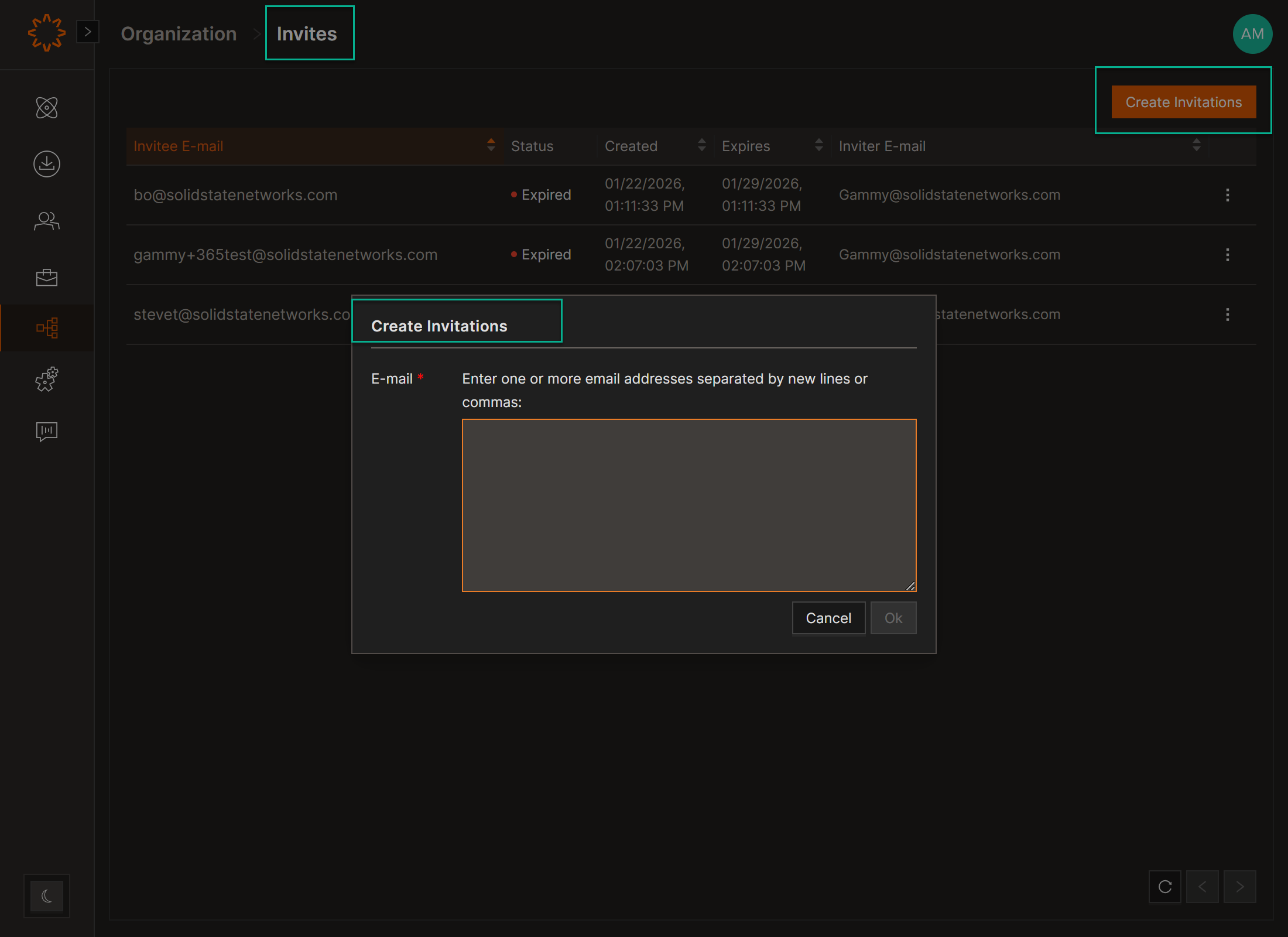
- Click on the Create Invitations button
- Enter one or more email addresses (comma or line-separated)
- Click OK
Invited users receive an email to verify their account and set a password.
Note: If SSO is enabled, there is no need to invite new users. Any existing members of your organization can log in to Solsta using their SSO credentials. This requires "auto-membership" to be enabled in the SSO integration.
Manage Pending Invites
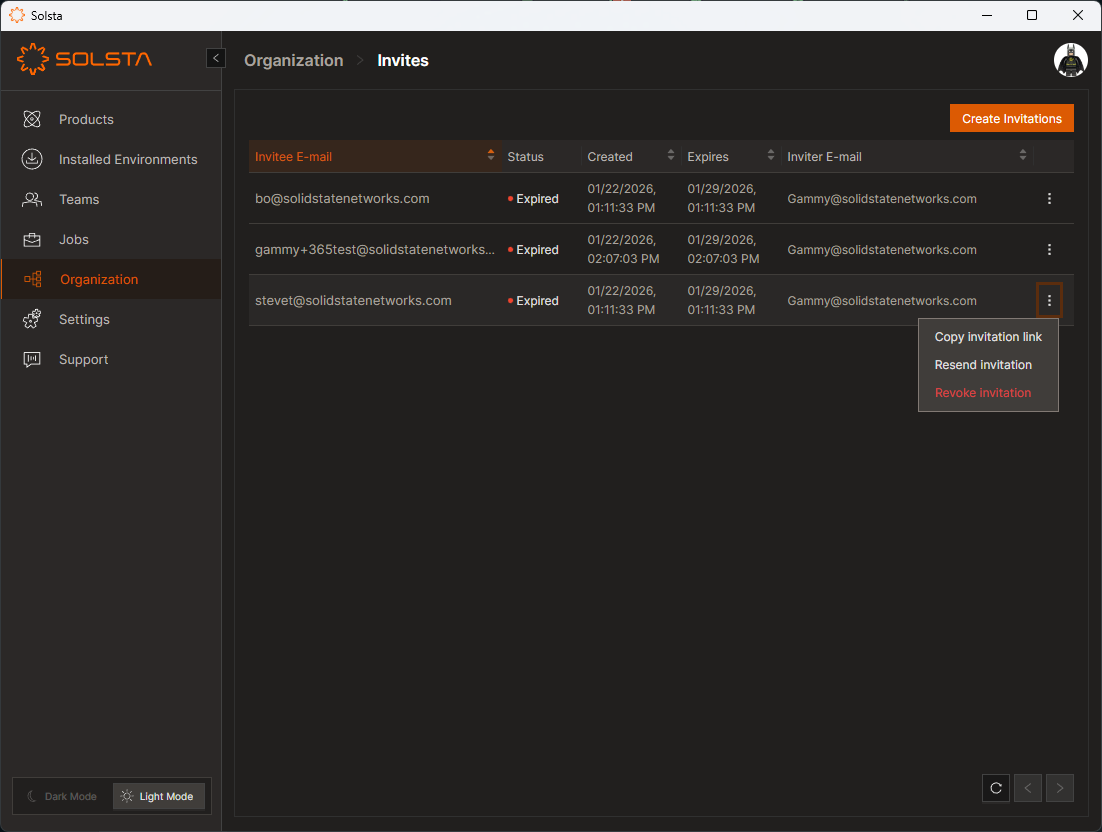
- Copy Link: Send directly if the user doesn’t receive the email
- Resend: Reissues the invite email
- Revoke: Cancels the invitation (link no longer works)
DOs
DONTs
Pro Tips


